 Tower & Mercenaries
Battle
Formation
Formation assigns each deployed mercenary to a row from front to back. Enemies choose targets according to their class, with some attacking the front row and others reaching the back.
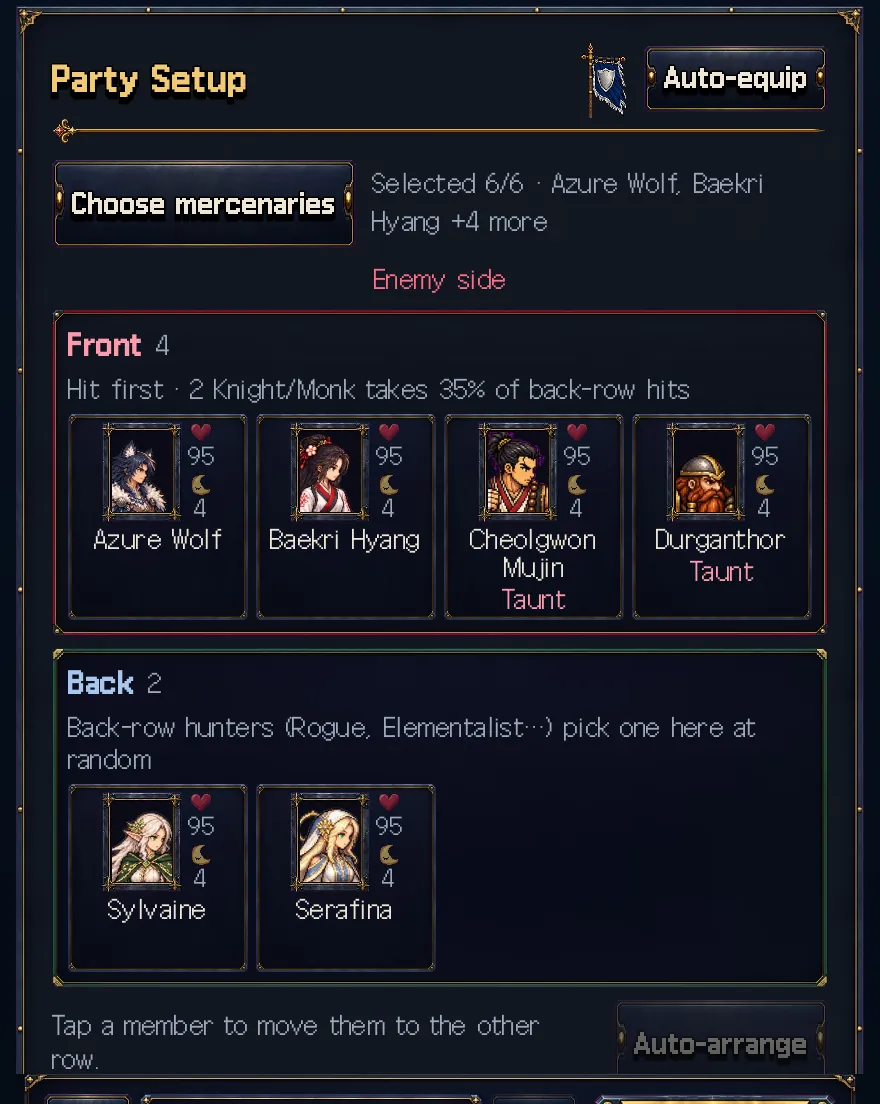
Choose mercenaries in "Party Setup" under "Tower", then open "Formation". Press a mercenary to move them to the next row and choose a position suited to their role.
Review your defenders’ equipment and positions if the front row collapses. If a healer falls in the back row, inspect enemy targeting and consider a front-row protector for the party.