Every battle ends within 3 minutes. The game runs on a new engine that puts far less load on your device, and your members now spend their days in a lounge at the Base. The Forge sorts your Stash for you.
1.19.1
Battles End Within 3 Minutes
8 items
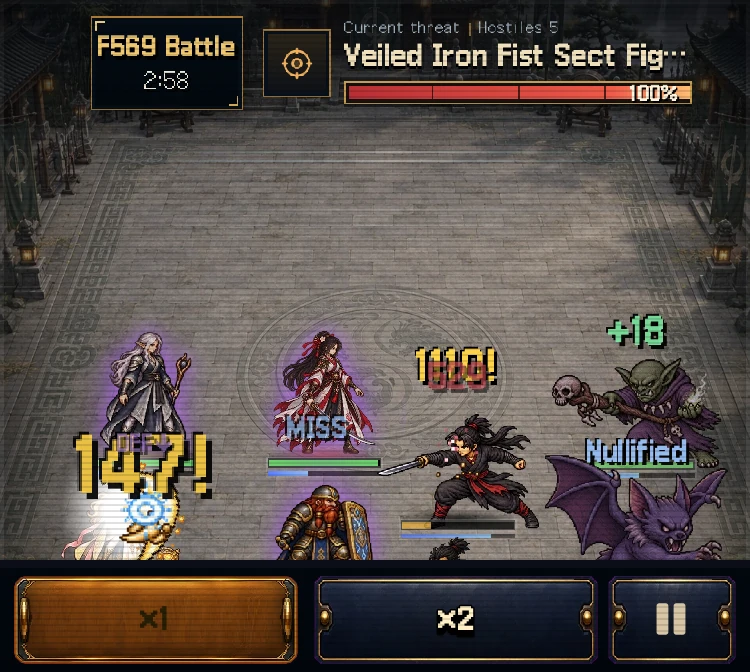
The time left shows under the floor banner, with ×1 and ×2 below
Every battle ends within 3 minutes. If neither side wins by then, the battle ends in Time Up and your party withdraws
Nobody dies in a Time Up. Fallen members come back with injuries only, and the HP they lost in that battle stays lost
After a Time Up the floor counts as not cleared and the party returns to the Base. Your haul stays intact
The time left shows under the floor banner, and it changes color in the last 30 seconds. Abyss Rite and Material Dungeon battles show it too
A battle that would run past 3 minutes at ×1 plays a little faster from start to finish so it fits in 3 minutes. In those battles, big skill cut-ins pass as small banners
The speed buttons are now ×1 and ×2. If your default speed was ×1.25 or ×1.5, it becomes ×2
A Personal Trial battle that runs out of time reports "Time ran out" in place of a defeat
An Abyss Rite that ends in Time Up returns the shards you paid and leaves no failure injury
New Engine
8 items
We rebuilt the game on a new engine. The screens and rules stay the same
From this update, iOS 17 or later is required. On iOS 16 devices, the current version keeps working
On our test device, the same battle took less than half the processing and about a third of the memory
Your saves and settings carry over when you update
The first launch after the update shows a preparing screen and takes longer than usual. Later launches are back to normal
If the device runs out of storage while moving your save, the game tells you. The original stays on the device, and the move resumes once you free some space and reopen the app
If storage is full and the game cannot save, it keeps your previous save intact and shows a notice at the top
Music and sound effects are louder. Your volume settings stay as they were
The Base and the Lounge
9 items
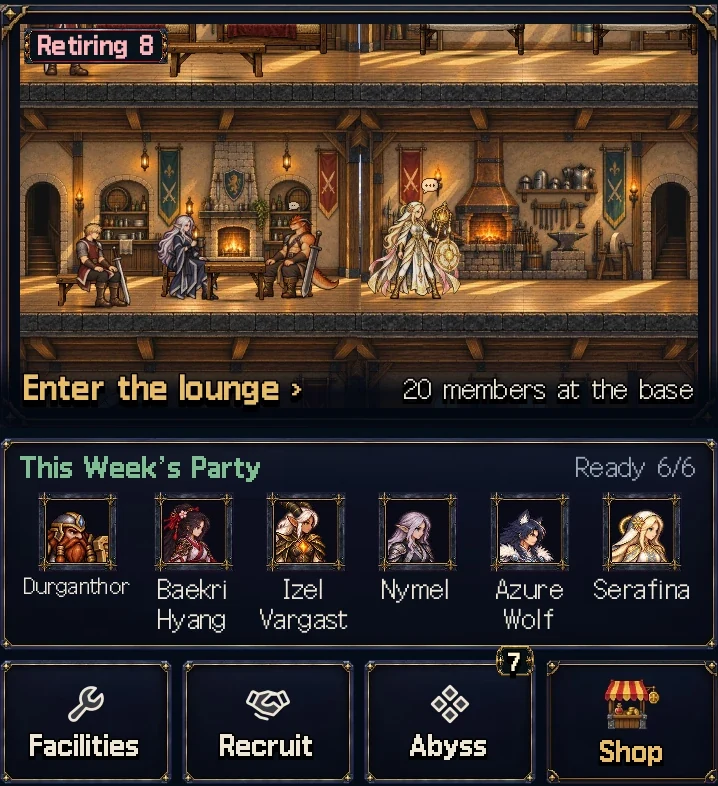
The Base screen has a lounge window
The Base screen has a new lounge window. Your members walk around the guild hall, sit down and rest
The Abyss perk and Abyss Rite entrances now share one Abyss tile, and the Shop has its own gold tile. The boss card and the Optional strip are gone
This week's boon shows as a gold chip above the lounge window
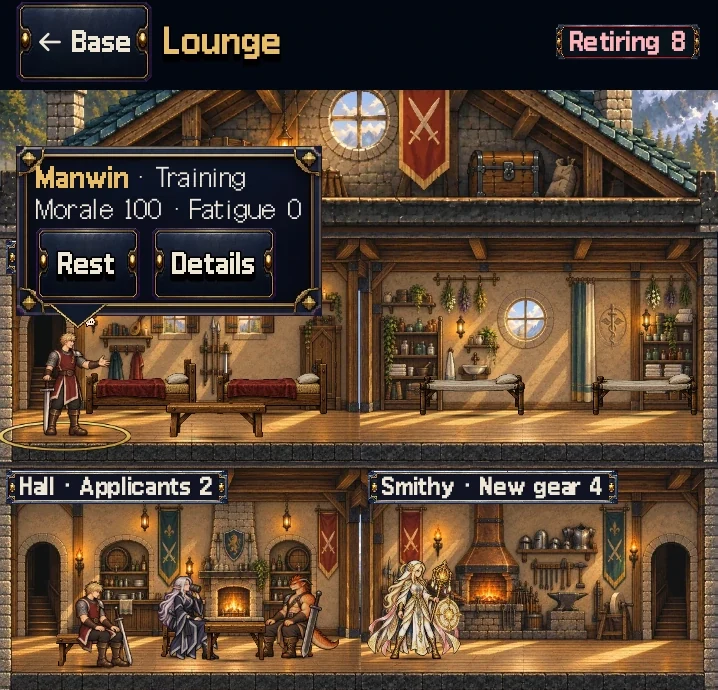
Tap a member to change their duty from the speech bubble
Tap the lounge window to open the whole hall. Tap a member to see their duty, morale and fatigue in a speech bubble, then switch them to Rest or Train or open Details on the spot
In the whole-building view, tap a room to zoom in on it. Tap outside the room or tap Whole building to step back out
Members with 70 or more fatigue show a sweat drop over their head, and members under 30 morale show an exclamation mark
Rooms with something to do get a name tag. The Gate tag opens Rear Duty, the Smithy opens the Stash, the Hall opens Recruit, and the Training tag handles Auto-assign
Members past a breakthrough walk and rest in the lounge in their base look. In battle and on portraits they keep the breakthrough look
The first Shop slot shows the newest premium hero you have not bought in a large card. Once you own them all, World Theme Packs come first
The Forge Sorts the Stash
8 items
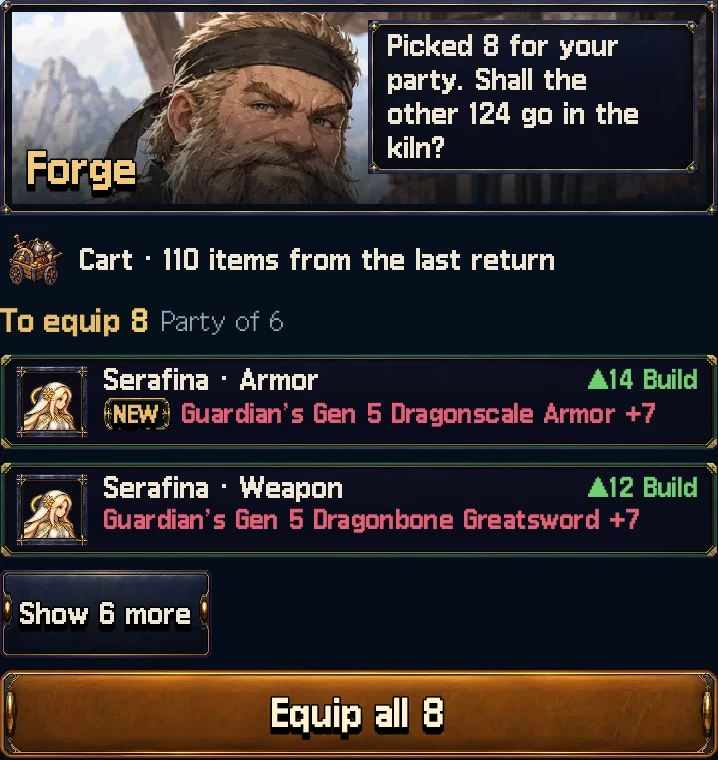
The smith picks gear that fits your party
The Stash tab opens on the Forge. The smith sorts your gear into To equip, To keep and To melt
To equip lists the biggest upgrade for each slot of each member in your party. Equip all puts them all on in one tap
Into the kiln sells everything in To melt at the usual price with no confirm window. Tap Undo within 10 seconds to get the same gear back for the same gold
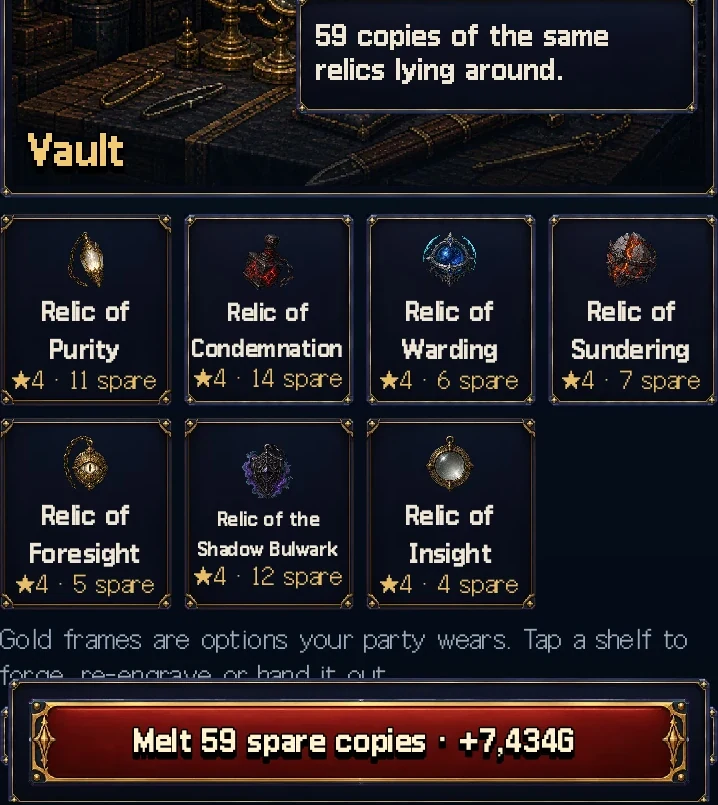
The Vault melts spare relic copies in one tap
The Vault groups relics by option and melts spare copies in one tap. Even a Stash left to pile up sheds everything it does not need in three taps: the kiln, the Vault, then melting spare copies
From floor 101, a Vault shelf lets you spend Abyss shards to engrave the option you choose. Each level of your forge cap costs 400 shards, and forged levels carry over
Auto-tidy on return starts on. When the party comes back, it melts unneeded gear and duplicate relics from that expedition. Undo on the result screen skips it for that return, and you can turn it off under Rules
You can lock gear. Tidying never melts locked or forged gear, and by default it keeps gear that suits members outside the party
To keep and To melt open the full gear list, where you find the Tidy up button and press-and-hold to sell several items at once
Daily Contracts Move to Rear Duty
7 items
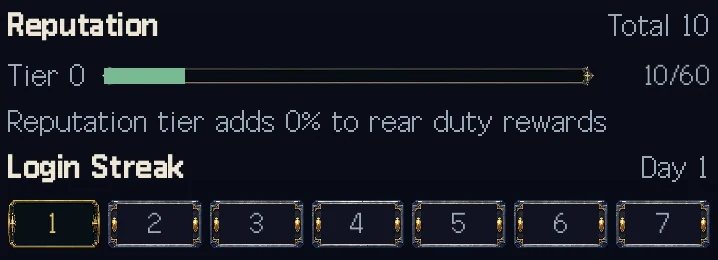
Reputation and Login Streak live on the Rear Duty sheet
Daily Contracts are gone. Sending a member out each day for gold and reputation ends, and that share moves to Rear Duty
Each reputation tier adds 8% to Rear Duty rewards, including the chance to find Soul Embers
Below floor 100, the guild gets an early stipend in any week with at least one member on Rear Duty. It starts at 2,000 gold, shrinks as your best floor rises, and ends at floor 100
The Extra Daily Contract perk becomes Extra Rear Duty Slot and gives a fourth slot. Guilds that already own it use the fourth slot right away
The Reputation bar and Login Streak moved to the Rear Duty sheet at the Gate. You still get login rewards, and the Base tells you once
Items turn into resources the moment you get them. Ration Supply gives 60 gold, Training Manual 120 gold, Relic Shard 40 Abyss shards, and Healing Salve 1 healing kit (60 gold when your kits are full)
Items already in storage convert the same way the first time you load your save after the update. Reputation Tokens give 3 reputation each
The Abyss on One Screen
7 items
A member ready for a rite stands at the top
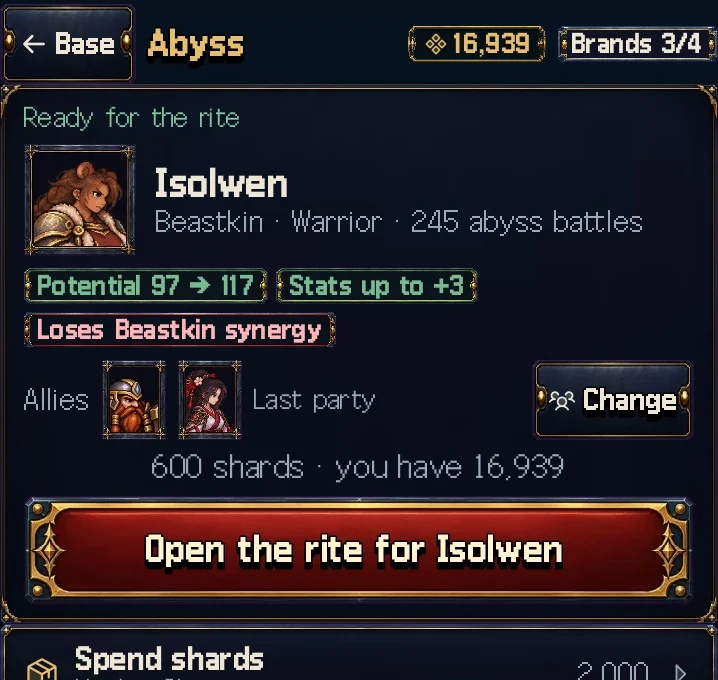
The Abyss tile on the Base puts perks and rites on one screen. The top card shows the one thing to do now
The top card picks, in order, a perk you can open, a member ready for a rite, or a place to spend shards. Perks open with one tap on Open, with no confirm window
A rite starts with two taps: Abyss, then Open the rite for the member. Allies come from your last party, and Change swaps them
Before the rite, chips show the potential and stats the member gains and any synergy they lose
Open the rite candidates list to pick another member. The rite rules sit behind the ⓘ in that list
From floor 101, Spend shards leads to engraving a chosen option in the Vault
The brand text now matches the current rule that a perk raises the cap to four
Balance Above Floor 300
3 items
From floor 301, enemies have 20% less HP and 20% more attack. Battles are shorter, and your members take harder hits
Boss Hunt bosses and Personal Trial guardians are unchanged
On floors 401 to 998, the Steel Duke and the Ancient Dragon are less tough. Floors they guard, such as 430, 440, 690 and 740, stop holding parties back for weeks
Battle Forecast
4 items
The forecast on the party and scouting screens (Dominant, Favored, Even, Risky, Deadly) matches real win rates for each floor range. In 1.18, parties won a Favored fight on floors 101 to 400 about one time in three
The Outpowered and Power edge tags follow the forecast, so Outpowered stops showing up next to a Favored forecast
The help text for both tags says whether you can win the floor
Only the forecast display changes. Battle results stay the same
Changed
10 items
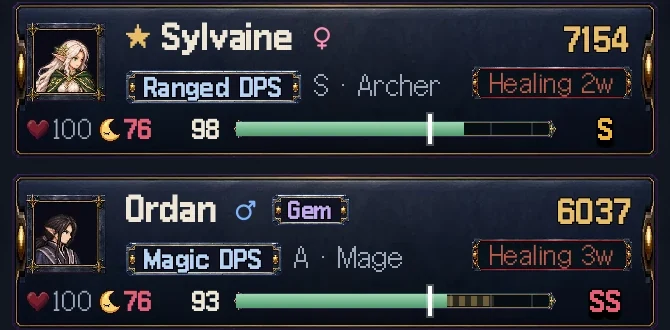
Party cards and the roster always show morale and fatigue
Members on the bench no longer lose morale. Wages and rest keep them going, and anyone you leave out for a long time will come to talk about retiring
Once a new version is out, a window in the middle of the screen tells you as the app opens. Tap Later and it comes back a day later
Mukran's Black Orchid Needle now always crits its main target, and its multiplier rises from ×1.4 to ×2.0. Aldric's Oath of the Fallen Crown now hits for ×1.5 and heals two allies for 15% of their max HP each
Party cards and roster rows always show morale and fatigue. Under 30 morale or 70 or more fatigue turns the number red, and the member detail numbers turn red too
The Illustration Gallery, Music Room, Shop and Guild Facilities screens have a back button at the top
Small skill banners show the character's illustration, including regular mercenaries and floor lords
The infirmary trades 2 Soul Embers for 1 healing kit. It fills you up to 2 kits when you have fewer
The app icon keeps its layout and is redrawn brighter under a dusk sky. The launch image now matches the loading screen art
English, Japanese and Traditional Chinese text got a cleanup. Each term now uses one word throughout, and Traditional Chinese no longer calls floor lords by a word that reads as "thread poster"
The code field under Move with a code in Settings has a paste button
Fixed
11 items
In battles with many summons, such as the floor 999 finale, some enemies vanished from the screen
Returning from the Material Dungeon without clearing its last stage still showed "Floor cleared"
The locked Bond Quest button for a named hero who had joined before said "Resolve the 3 special recruit candidates first." It now explains why the quest is closed and points to the Corridor of Rebirth
Large gold amounts on the Stash sell buttons had no thousands separators
Picking members with long names stretched the party summary line on the prep screen over several lines
World Theme Pack parts did not show: the emblem, base backdrop, portrait frame, panel skin, expedition flag and chronicle cover. The portrait frame now replaces the default frame instead of stacking on it
Retiring a mercenary who was already reborn said they could be called back. The retirement prompt now warns that they cannot return
A relief squad member you changed in the party screen reverted to the previous one after you visited another tab
Reopening the app mid-climb kept battle music playing at the base
The training yard tag disappeared after Auto-assign in the Lounge. Members in training now stand in the training yard
Stray icons floated in the empty space of the Stash screen
 Tower & Mercenaries