Turn an iPad or tablet sideways and every screen spreads across the full width, and the game now speaks French, German, Italian, Spanish, Portuguese and Russian. The title and founding screens are new too.
1.21.0
Landscape Screens
11 items
Turn an iPad or tablet sideways and each screen switches to a wide layout
An iPad can face any of its four directions. After turning, the screen you were on and what you picked stay as they were
If you already bought the game, the same account gets it on an iPad or tablet at no extra cost. Saves stay on each device, so move a phone adventure with Export and Import under Settings → Save data
Phones keep playing in portrait, and they start in portrait even when you hold them sideways at launch
The Base scene fills the screen, and facilities open in a large window over the scene
Battles spread across the whole screen like a seat in the stands. The party sits in a slim column on the left, and the controls sit at the bottom right
The party lineup shows candidates, the formation board and the summary side by side on one screen
On the roster, pick a member from the list on the left and their details open on the right
The Shop becomes an illustration gallery. Tap a picture and it opens into a large card in place
Adventure, Records, Settings, the weekly report and the tower expedition screens split into a category rail on the left and a wide content area
Story scenes put the picture and the text side by side, and farewell and memorial scenes run the art to the edges of the screen
New Languages
Play in French, German, Italian, Spanish, Portuguese or Russian
If your device uses one of them, the game starts in that language, and you can change it any time in Settings
Spanish follows Latin American usage and Portuguese follows Brazilian usage. Devices set to Spain or Portugal show the same text
Title and Founding
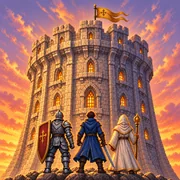
On the title screen, your own members walk across a night view of the tower. The Continue button under your thumb shows your guild name and progress on one line
The first frame at launch matches the app icon, and the title brightens as the icon fades
Founding a new guild means signing a contract on a desk. Write your guild name on the signature line, pick the climb rules and tap Sign and found
At founding, you can choose the emblem stamped on the contract from the free emblems. Skip it and you start with the default emblem as before
Tapping Done on the keyboard in the name field now only closes the keyboard. Only the Sign and found button founds the guild
Changed
On phones, paid named heroes in the Shop stand in a row of large pictures. Swipe through them, and heroes you already own move to the back of the row
A named hero whose purchase could not be confirmed shows a Locked tag, and tapping the tile explains why
A paid named hero you receive as a gift through a store code now gets an arrival notice over the Base. Tap Summon on the notice to bring them in
The formation board in tower prep shows morale and fatigue for each member. Tired members show red numbers, and Deployment Check below now gives only the head count
Settings adds Open source licenses, with the notices for the game engine, the fonts and the other tools the game uses
Fixed
One finger tap advanced the dialogue window two lines at a time
One tap on a boss, breakthrough or ritual scene closed it before the final screen showed
After Clear on the Adventure tab, the relief squad on the Tower and Base screens looked empty
Baekri Hyang's profile read as if the Blood Sword Clan had been wiped out. The Blood Sword Clan is the one that burned the Plum Blossom Sword's sect gate
 Tower & Mercenaries