The Endless Labyrinth mode is open and the Ashscale Hunt is in the Shop. Tower results, scouting, formation and the Base are less cluttered, and spare shards can cure a bad trait.
1.29.0
New Mode: Endless Labyrinth
7 items
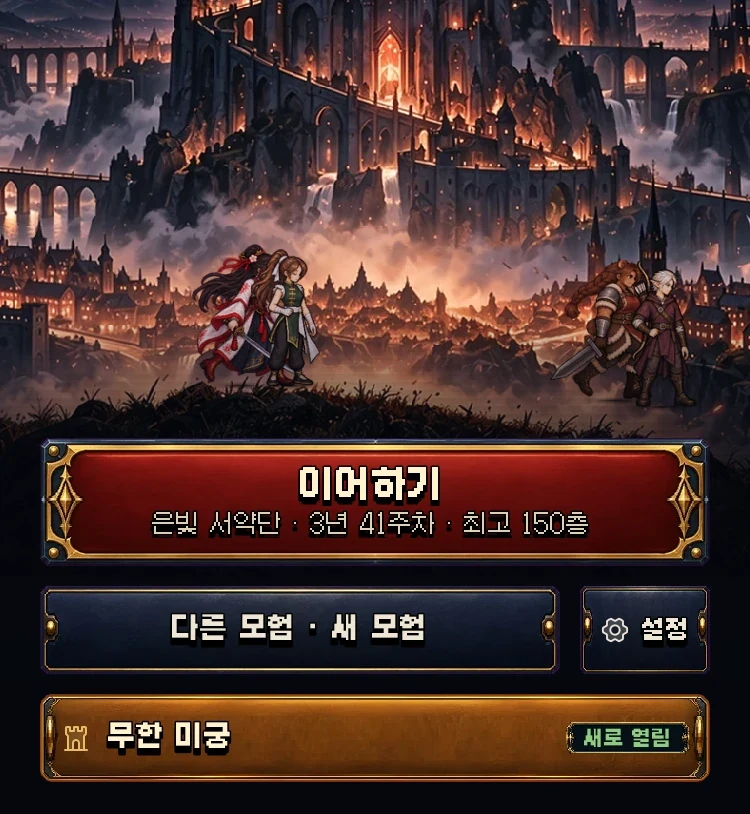
Once any slot conquers floor 50, an Endless Labyrinth entrance opens at the bottom of the title screen, marked New at first and Continue during a run
It is a separate adventure saved apart from the main game. Your members, gear and gold stay as they are, and what you grow inside the Labyrinth stays there
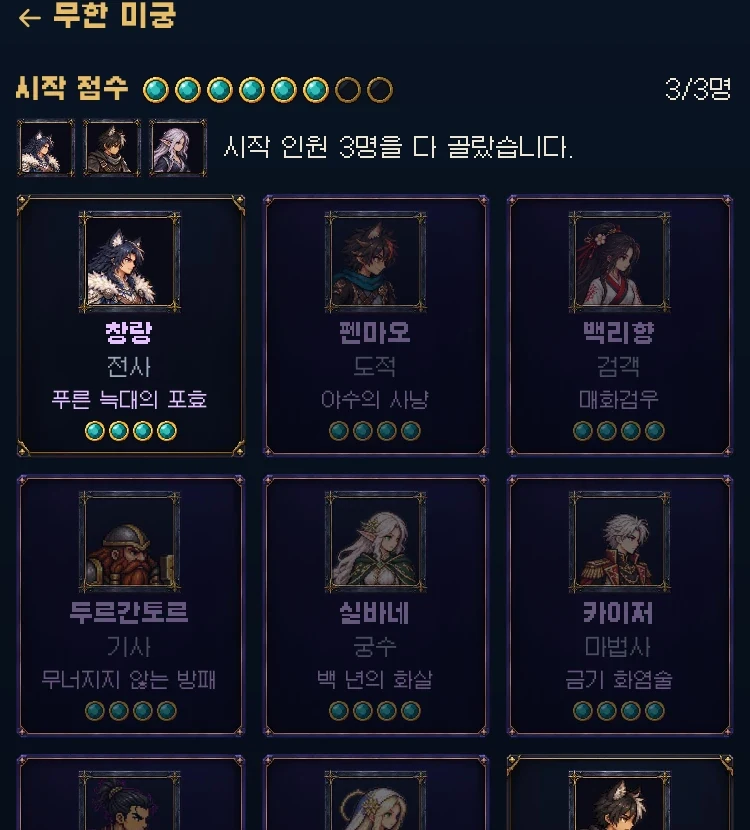
Pick three to start, within the start points, from members across all three slots, heroes you bought, free heroes unlocked in any slot, and Hall of Fame members. Every hero costs 4 points
Each floor is an auto battle, with a boss every ten floors. Beat a boss and everyone recovers fully, and the party grows by one, up to five
Floor 50 marks the summit, and the climb keeps going past it
Every floor is saved, so even after closing the app you resume on the same floor with the same cards. Title screen or the back button takes you to the title at any time
Labyrinth records stay on this device. They are not part of the cloud save, so they do not follow you to a new device, and deleting a slot leaves them in place
Conquer the tower and the Labyrinth entrance opens below the titlePick three within the start points from members and heroes across slots
Labyrinth Cards and Relics
10 items
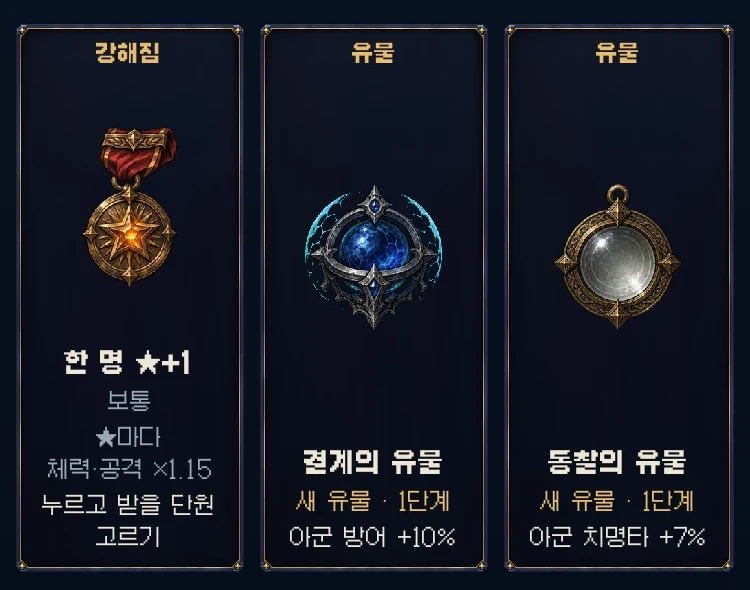
After each floor, pick one of several different cards
After each floor you pick one of several different cards, usually three. Power (one or all members gain a star), Endure (heal and revive when hurt), New recruit and Relic come up in the mix
There are ten relics, each up to level 2. They raise the whole party's action gauge, healing, defense, crits, speed and HP, or lower enemy defense, attack and HP and the damage your back row takes
Cards with a set target are taken in one tap. Cards that grow one member ask you to tap a face. Fallen members are marked as unable to receive
Each star raises HP and attack. Each act caps how many stars a member can reach, so one member cannot take everything, and the cap rises past each boss
From floor 11, Elite Foes cards join in. Pick one and the next floor's foes are tougher. Win and the member with the fewest stars gains one at once
The three cards after a boss can offer a hero as a new recruit
Only floors 1 to 9 can be skipped
Only one growth card shows per screen, so the same set no longer repeats past floor 30
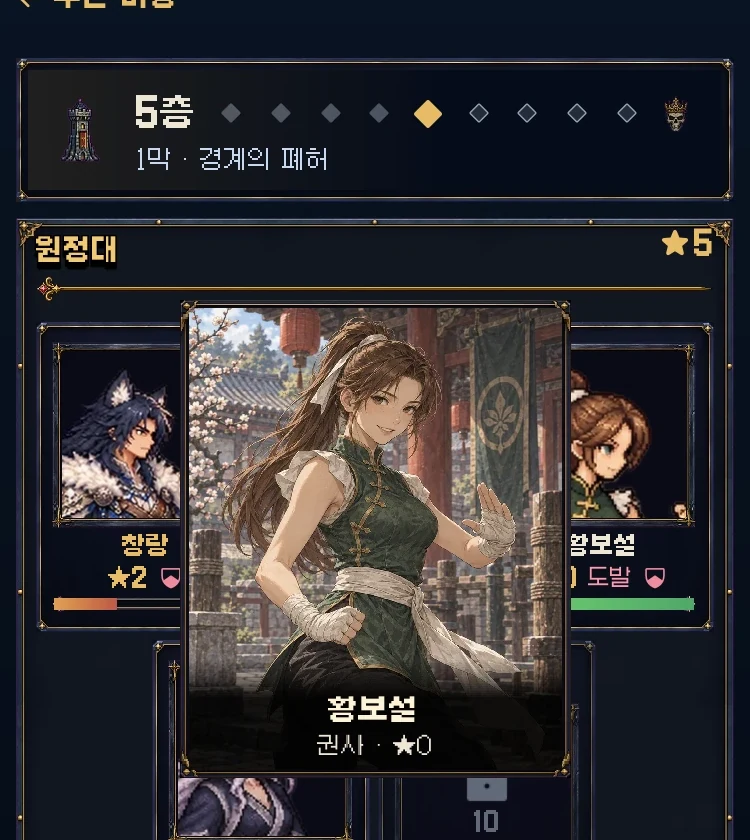
The screen between floors shows a floor progress bar and the party slots, each with a role icon, star level, that act's cap and HP
Fallen members are noted above Next floor as unable to fight this floor. Endure cards bring them back
Labyrinth Effects and the Plaque
3 items
Cards fan out, the chosen one rises, and the star, relic or HP flies into the party slots, all within 1.2 seconds. Tap anywhere to jump to the end
New recruits join from a silhouette into their illustration, and beating a boss announces the act cleared with the bigger party and the heal. Reaching five stars switches a member to their Breakthrough look inside the Labyrinth, unless they wear a costume
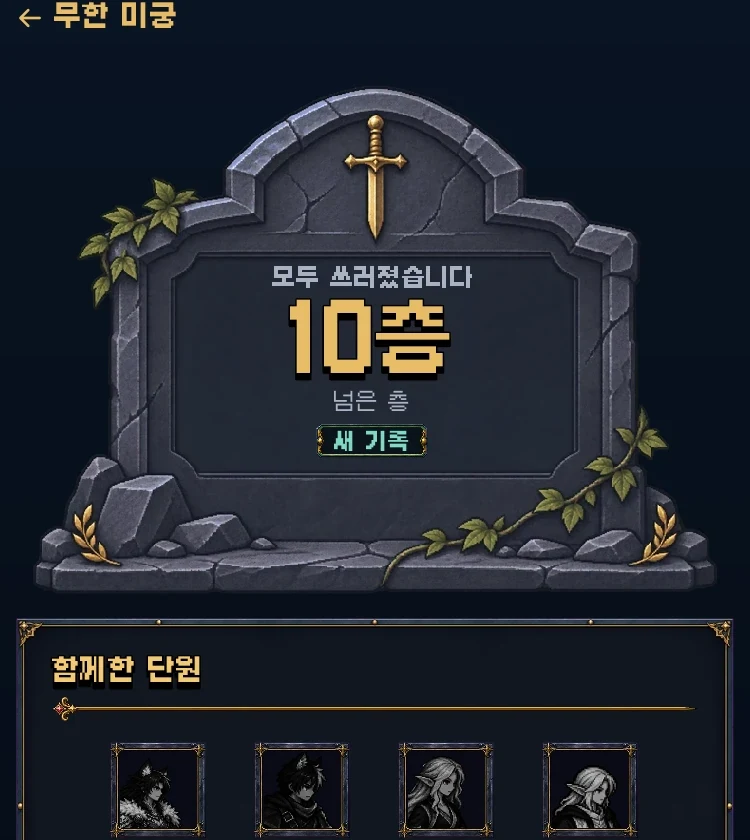
When the whole party falls the run ends, and the floors cleared are carved on a stone plaque. A new best gets a New record mark, and the members who came along stand up one by one
New recruits join from a silhouette into their illustrationWhen a run ends, the floors cleared are carved on the plaque
Paid Heroes: Ashscale Hunt
4 items
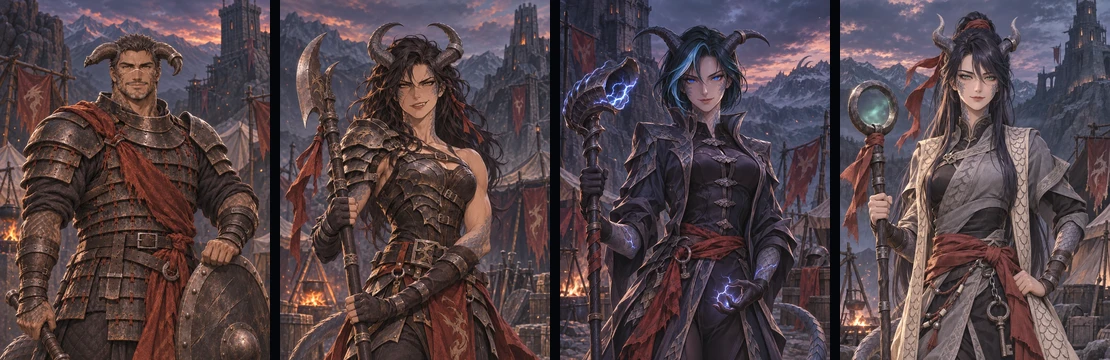
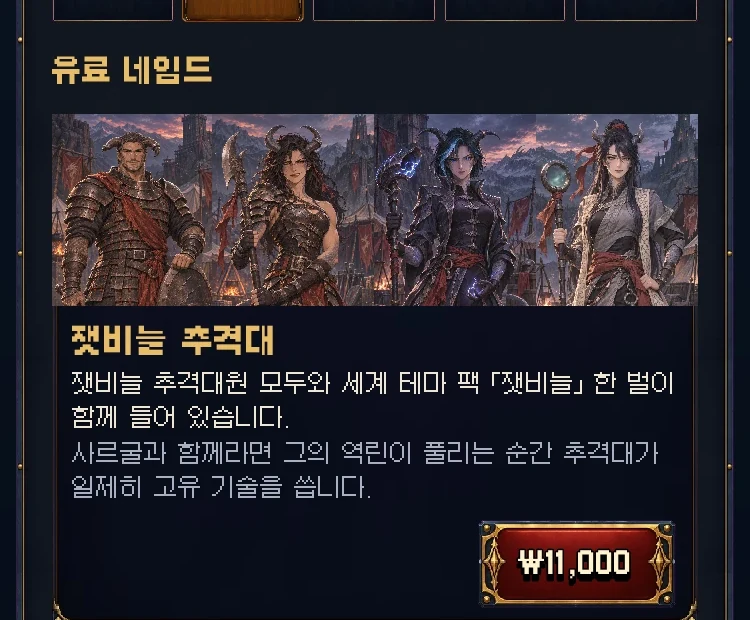
Four drakekin hunters sent to bring Sargul back are now in the Shop. Halok Drek (Knight), Nahra Volk (Warrior), Eska Urzen (Mage) and Azra Morga (Priest) come in one bundle with the Ashscale world theme pack and the Base track "Fire of Those Who Stayed"
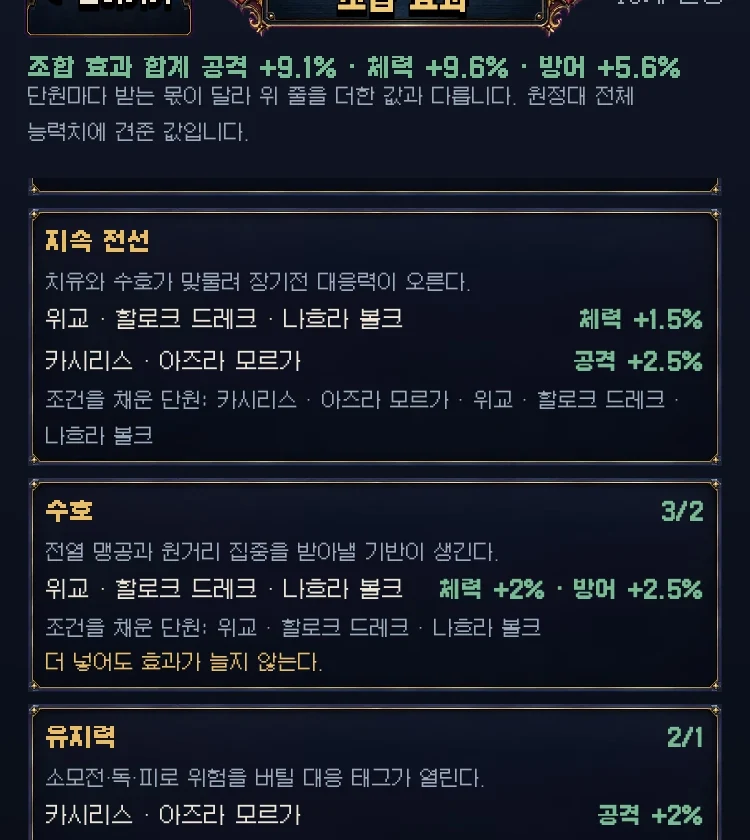
With two or more hunters in the party, everyone heats up as the party takes damage, gaining attack and healing from part of the damage dealt. With all four it builds faster and goes higher
When Sargul stands with them, the moment his Reverse Scale breaks, the hunters all use their signature skills at once. The hunters' combo works without Sargul too
The hunters never retire or leave. All four have story quests and Breakthrough looks
The four Ashscale huntersThe Ashscale Hunt bundle in the Shop's Heroes tabThe combo sheet shows the heat combo and who gets it
Tower Floor Results
10 items
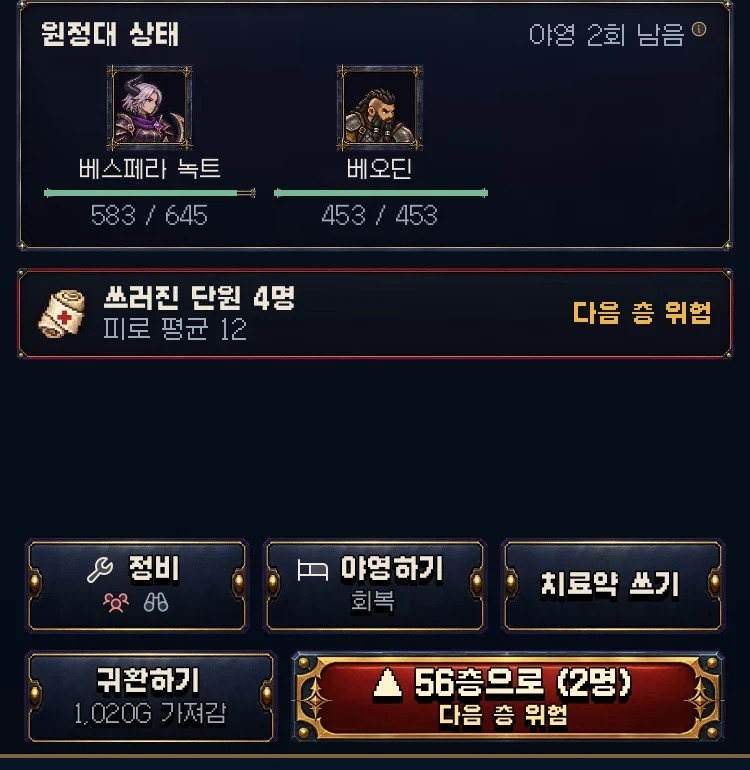
Everything under Prepare, and Return always in the same place
Make camp, potions, relief and look around now sit under one Prepare button. Camp shows beside it when the party's total HP is under half, and potions when a member is hurt
The two bottom buttons always stay put. The small one is Return and the big one climbs to the next floor. Before, Return took the big button's place when a member was hurt, which made mis-taps easy. We changed this after a store review
On a risky floor the big button's second line says Next floor risky in gold. Return's second line shows the gold you take home
The Quick Climb hint is now the big button's second line, Scout first or Scout if risky, and Make camp's second line only names the effect
Prepare's second line shows icons for what is inside, and the relief icon lights up in alert color when a member has fallen
The Last Stand banner's header line is gone
Tap the result card to open that battle's report, in place of the old report button
The party status sits right under the result card, and newly unlocked items fold into one line you can tap open
Right after the screen opens, the two bottom buttons ignore taps for a moment, so tapping Skip repeatedly no longer drops you out of the tower
The first launch after the update shows a news page gathering what moved. Open it again from the bell at the Base
Scouting
6 items
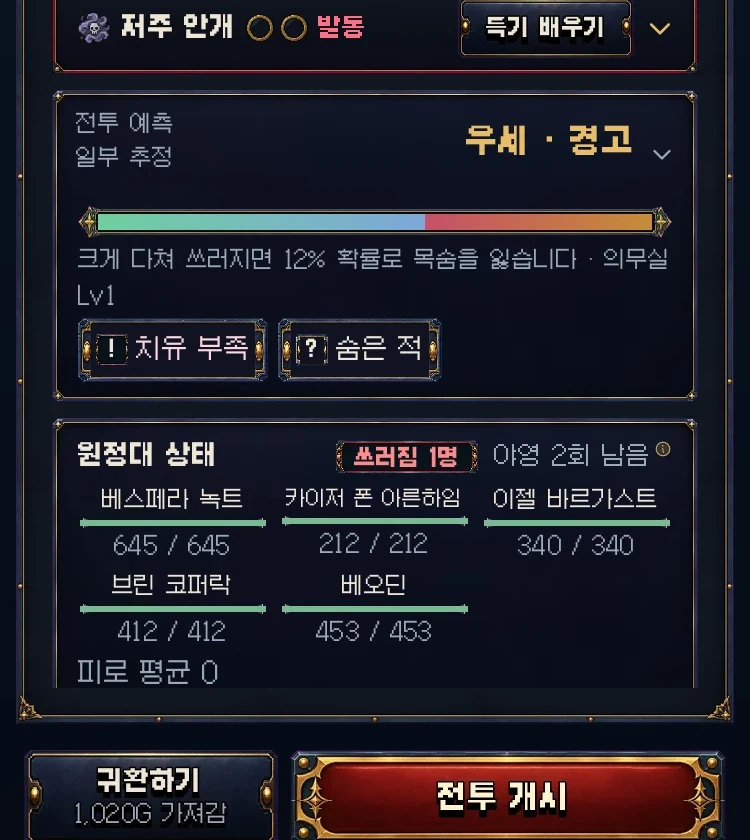
Fight sits where the next floor button was
Fight now sits where the next floor button was on the result screen. Tap the same spot again to fight. We changed this after a store review
The small button is named Return, the same as on the result screen, with the gold you take home on its second line
Fight asks once only when the forecast is deadly. Return never asks
The panel title is gone, and the floor card names the floor and zone once
Above floor 101 the zone card folds into one line with icon, trait name, pips and status. Tap to open it. When a specialty can be learned, Learn sits on the same line
The party status sits right under the battle forecast, in the same layout as the result screen
Party Formation
7 items
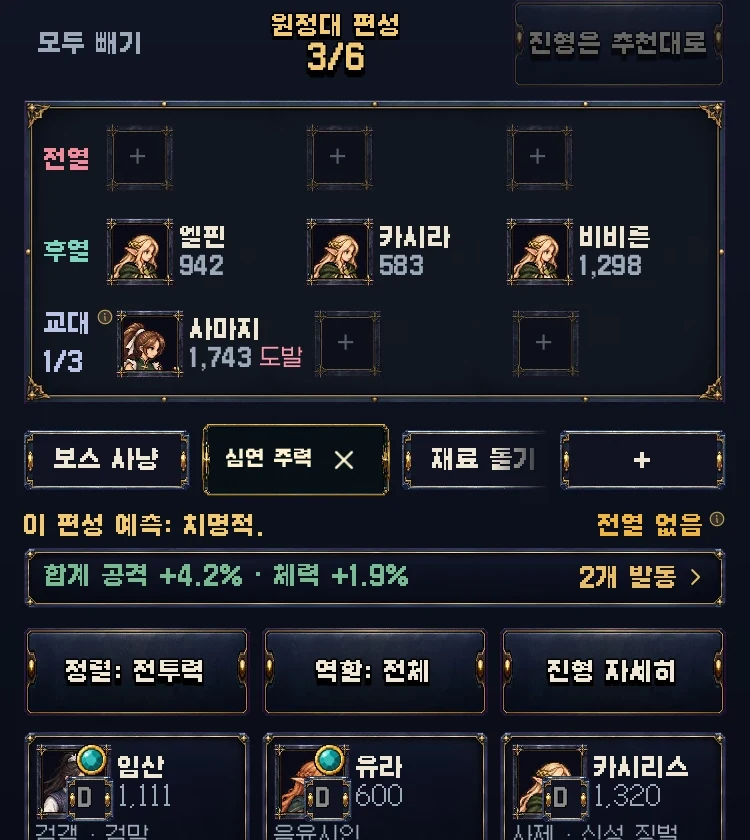
Saved formations moved to a chip row under the board
Saved formations moved to a row of chips right under the formation board. Tap a chip to load it, or tap + at the end to name and save the current formation
The chip matching your current party shows an ×, so you can delete it right away. Hold a chip to see who is in it
A fixed area under the board holds the saved chips, a one-line battle forecast and the total bar. Pick a slot and that member's name and skill show there, and tap the chip at the end of the line to read a formation warning in full
When loading skips a member, a bar at the bottom tells you. Clear and Undo moved to text buttons at the top left
The filter chips now have a Race row, listing only races on your roster. We added this from an email suggestion
The first time you open the formation sheet, a guide asks you to tap one slot on the board. Tapping a slot brings up move, remove and details
The line about members with pip marks is gone, and Power on cards always uses comma separators
Base
3 items
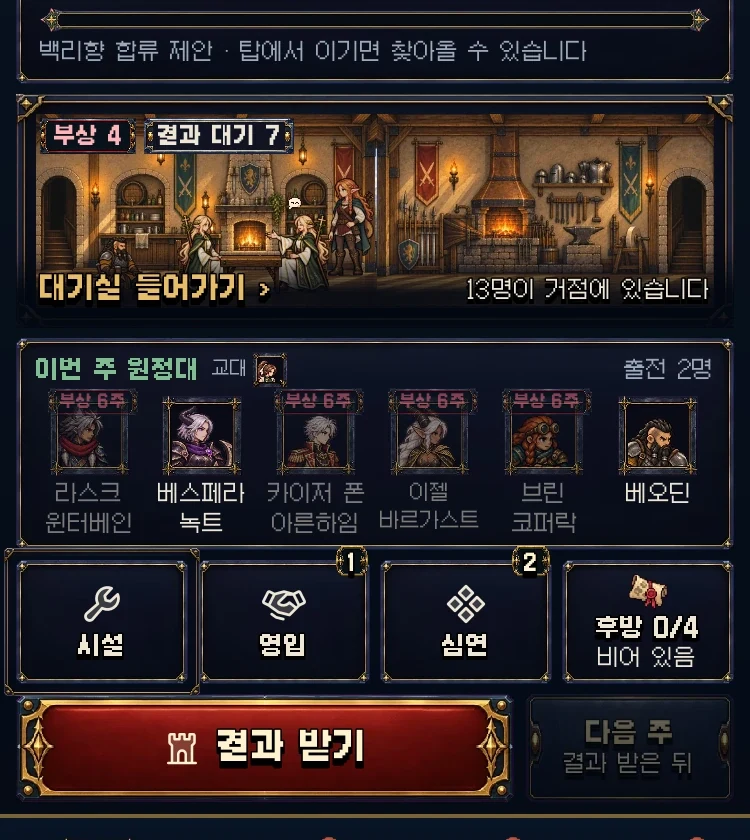
A waiting result is told in one place, the Collect results button
When an expedition result is waiting, the big Collect results button alone tells you. The goal tile keeps showing the boss goal as usual
The greyed Next week button now says when you can move on, such as After results or After the run
The party header no longer shows the injured count. The injury chip on each face tells you who is hurt
Gear Swap
3 items
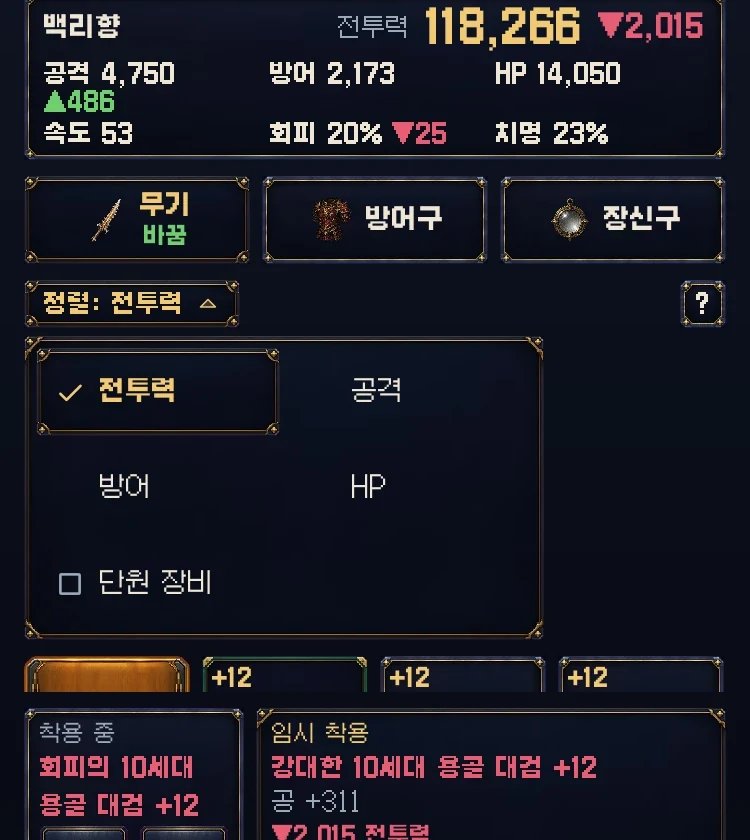
Tap the sort chip to open the orders and the member gear list
The picked gear card has a single Swap button, and the card only shows the Power change as a chip
Until you pick something, the try-on card stays folded. How to use it is in the ? help at the top right
Sorting is one chip, Sort: Power ▾. Tap it to open the four sort orders and the member gear list
Cure a Bad Trait with Shards
4 items
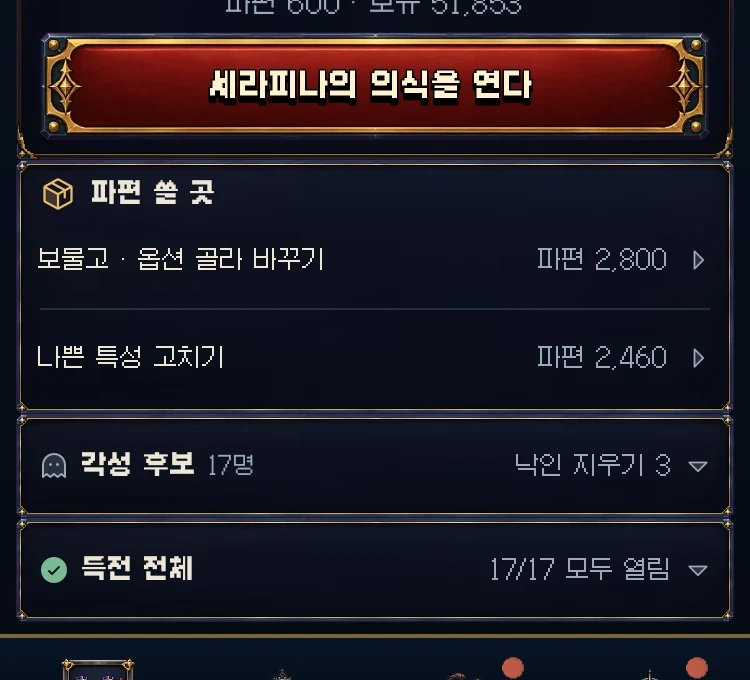
Cure a bad trait in the Abyss shard menu
Spend shards in the Abyss now has Cure a bad trait. It changes Arrogant, Overpaid, Glass Body, Slacker or Coward into a random common trait. You cannot choose the result, and traits the member already has or bad traits never come up
It opens from floor 400. Each member can be cured once a week, and the price doubles every time you cure that member. Members on an expedition cannot be cured
When no member can be cured, the row is greyed out and says so
We added this from café posts about piles of leftover shards and traits like Arrogant, Coward and Glass Body
Rerolling Tower Gear Effects
3 items
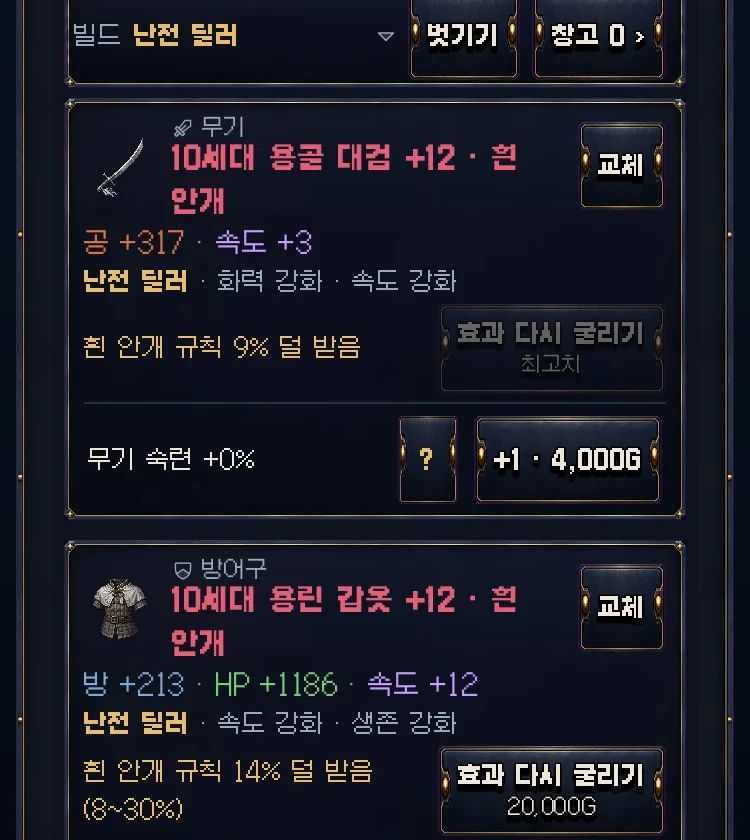
Effect lines show the range, and maxed values block rerolls
Each effect line now shows the range that gear can roll (for example 8~30%). The top of the range depends on the floor where you got the gear
When the value is already the highest, the line says maxed and Reroll effect is blocked, and no gold is taken
We changed this after a café post. A player rolled over 100 times without a high value because the gear's floor capped the range
Difficulty Is Shown
2 items
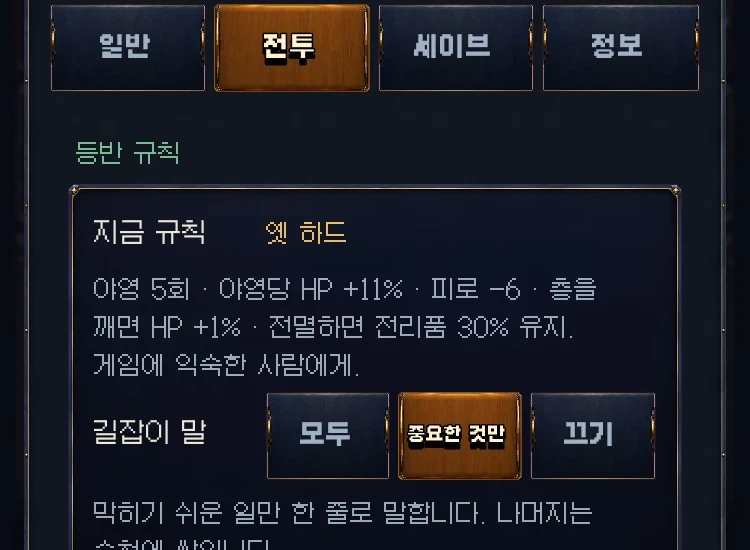
Settings shows the current rules and what they mean
Current in Settings now uses the same name as the plaque chip (Classic Hard, Hard, Expert), with the rules such as camp count and healing on a line below. Before, Classic Hard and Hard both read as Hard
Title screen slot cards add Classic Hard at the end of the progress line
Plum in the Snow, Free for a Limited Time
2 items
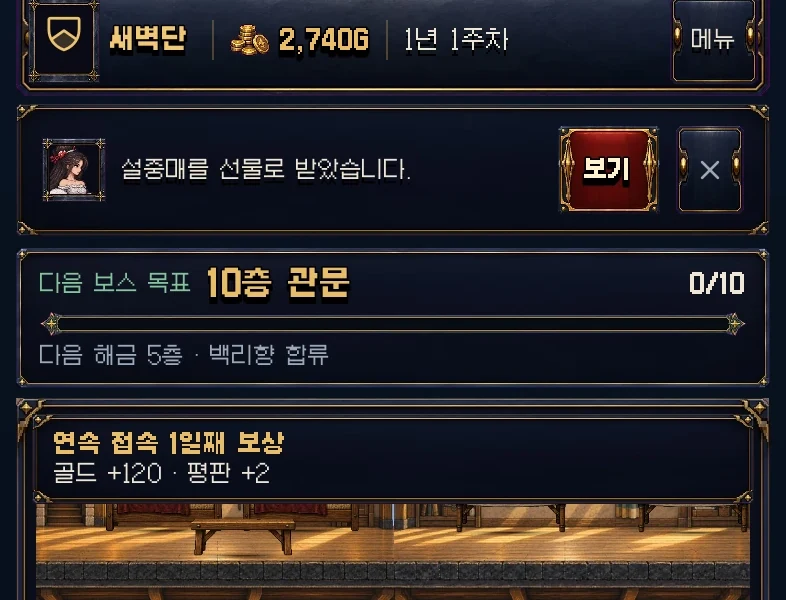
A Base notice when Plum in the Snow arrives as a gift
Open the game by December 28 and everyone gets Baekri Hyang's Plum in the Snow outfit. A notice appears at the top of the Base, and you can dress her from Gifts in the Wardrobe
Plum in the Snow stays after December 28. If you reinstalled the app, open it once by then. Players who redeemed a code are not notified again
Battle Formation
3 items
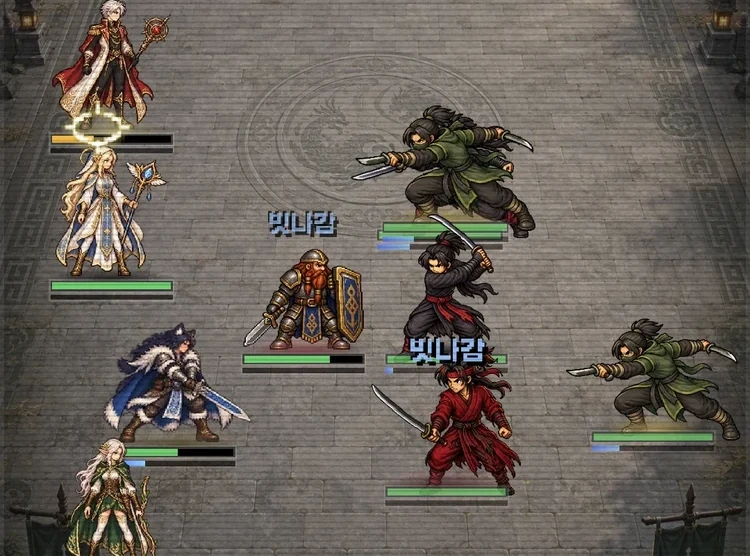
A row of four stands in a straight line
A row of four now stands in a straight line, spaced so the HP bars at their feet do not cover the head below. Rows of five or more stagger as before
The defeat banner now says who took down whom, such as "A defeats B!", and sits under the floor title
In quests, personal trials and weekly hunts with fewer than five face slots under the battle, a single slot no longer stretches across the screen and stays centered
Mukran and Rogues
2 items
Mukran's Black Orchid Needle now hits its main target at ×2.6, up from ×2.0, with ×0.2 for the spreading poison
Regular Rogues' Execute goes from ×2.6 to ×2.5. In the same slot, Mukran now comes out slightly ahead of a regular Rogue
Sound and Size
2 items
"Halvren Keep" from Halvren, the Fallen Kingdom and "Guard Outside the Gate" from Knights of Light were rebuilt with richer instrument sounds
The app is about 20MB smaller. We dropped unused image copies and test-only files, and made a few theme pack backgrounds lighter
Fixed
4 items
After tapping Add the recovered to the expedition in the weekly report, the tower prep screen still showed an empty party
After changing a relic's option in the Vault, the sheet jumped to another member's relic with that option, so changing again altered their relic
Members whose potential was already above 118 were still pointed to the personal trial's 118 cap
Unheo's Breakthrough illustration had an awkwardly bent left arm. The illustration has been redrawn
 Tower & Mercenaries